What Is Cloud Computing
Data centres, virtualisation, and the three service models that define how organisations consume computing today — explained without the marketing fog.
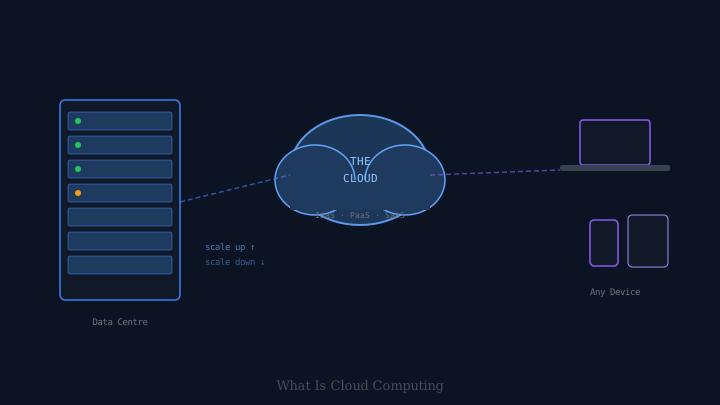
“The cloud” is one of the most overused phrases in technology. It appears in adverts for everything from spreadsheets to refrigerators, sometimes in contexts where it means very little beyond “the internet is involved somehow.” Behind the marketing language, however, is a genuinely important idea that has changed how software is built and delivered — and understanding it helps you make sense of a lot of decisions that technology organisations make.
The Simple Version
Cloud computing, in its most basic form, means renting computing infrastructure from someone else’s data centre rather than owning and running your own.
Before cloud computing, if a company wanted to run a web service, it had to buy physical servers, install them in a data centre (either its own or a co-location facility), set up power, cooling, and networking, hire staff to maintain them, and then wait weeks or months for hardware to be delivered and configured before it could actually launch anything.
Cloud computing replaces this with a service you can access over the internet: instead of buying a server, you request one from a cloud provider, and within minutes a virtual machine appears — ready to use, accessible remotely, billed by the hour or the second. When you no longer need it, you delete it and stop paying. The physical hardware underneath belongs to the provider; you just use a slice of it.
Data Centres at Scale
Cloud providers — Amazon Web Services (AWS), Microsoft Azure, Google Cloud, and others — operate enormous data centres containing hundreds of thousands of physical servers, arranged in racks, housed in climate-controlled buildings, backed by redundant power supplies and multiple internet connections. A single large facility might draw more power than a small town.
These facilities are spread across multiple geographic regions deliberately. If a data centre in one part of a country loses power or connectivity, traffic can be routed to a facility elsewhere. This geographic redundancy is something individual organisations would struggle to afford on their own, but is built into cloud providers’ basic offerings.
Virtualisation: The Key Technology
The reason cloud providers can rent “servers” without physically handing you a server is virtualisation. A single physical server can host multiple virtual machines (VMs) — software simulations of independent computers, each with their own operating system, storage, and network configuration, all sharing the underlying physical hardware.
A hypervisor (a piece of software running on the physical host) manages this isolation, ensuring that your VM cannot see the memory or processes of another customer’s VM on the same physical host. From your perspective, the virtual machine looks and behaves like a dedicated physical server. In practice, you are running on a slice of a much larger machine, alongside potentially dozens of other customers’ VMs.
More recently, containers have emerged as an even lighter form of isolation. Rather than virtualising an entire operating system, containers share the host’s kernel and isolate only the application and its dependencies. Containers are faster to start, smaller, and more efficient for running many instances of an application simultaneously. Docker popularised the format; Kubernetes has become the standard tool for orchestrating containers at scale.
The Three Service Models
Cloud computing is typically described using three tiers of abstraction:
Infrastructure as a Service (IaaS) gives you virtualised computing resources — virtual machines, storage, and networking — and leaves everything above the hardware to you. You choose the operating system, install your own software, configure security, and manage patches. This is the most flexible model; it is also the most work. Virtual machine rentals from cloud providers are the classic IaaS offering.
Platform as a Service (PaaS) takes care of the underlying infrastructure for you and provides an environment for deploying and running applications. You supply the application code; the platform handles the operating system, runtime, scaling, and maintenance. Heroku, Google App Engine, and Azure App Service are examples. PaaS is popular with development teams that want to ship software quickly without spending time managing servers.
Software as a Service (SaaS) is the model most consumers encounter. The provider manages everything — infrastructure, platform, and the application itself — and you access it through a web browser or an API. Gmail, Microsoft 365, Salesforce, Slack, and Dropbox are all SaaS products. You consume the software as a service rather than installing and maintaining it yourself.
Elasticity: Scaling Up and Down
One of the key advantages of cloud computing is elasticity: the ability to add or remove computing capacity almost instantly in response to demand.
Consider a ticketing website that normally handles a few thousand visitors per day. On the day tickets for a major event go on sale, traffic might spike to millions of visitors in a matter of minutes. On traditional infrastructure, the website would need to maintain enough servers to handle the peak load at all times — an enormous and expensive over-provision for the other 364 days of the year. On cloud infrastructure, the website can automatically scale up to hundreds of servers for the duration of the spike and then scale back down immediately afterwards, paying only for what it uses.
This elasticity is possible because the cloud provider has a massive pool of capacity across many customers. At any given moment, not all customers are at their peak simultaneously, so the provider can offer capacity on demand that would be physically impossible for each customer to own individually.
Shared Responsibility
Cloud computing does not eliminate the need for security or operational discipline — it redefines the boundaries. The cloud provider is responsible for the security of the cloud: the physical data centres, the hypervisors, the network. The customer is responsible for security in the cloud: the configuration of their virtual machines, the data they store, the access controls they set, the applications they deploy.
Misconfigurations at the customer layer — leaving a storage bucket publicly readable, failing to restrict network access to a database, using weak credentials — have been the source of many well-publicised data breaches. The cloud provider’s infrastructure being secure does not automatically make a customer’s deployment secure.
What “The Cloud” Actually Means
When someone says “my data is in the cloud,” they almost always mean it is stored on servers operated by a cloud provider or a SaaS company — not on their local machine. When a technology team says “we are moving to the cloud,” they usually mean migrating from privately owned or managed infrastructure to a cloud provider’s services.
The concept behind the term is straightforward, even if the marketing has obscured it: computing resources, accessed over a network, provided as a utility rather than owned as capital equipment.